


Enterprise SSD vs Consumer SSD for Business Storage and Server Reliability
At Nevada IT, we're often asked whether enterprise SSDs are really worth the additional investment over standard consumer drives. On paper, the differences aren't always obvious. Capacity can be identical, interfaces are often the same, and performance figures may appear similar.
However, when a drive is supporting critical business systems, virtual servers, backups or shared storage, the specification sheet only tells part of the story.
Two SSDs can look almost identical on a quote sheet. Same capacity. Same interface. Similar headline read speeds. One costs less, the other is labelled for enterprise use. At first glance, it’s fair to ask whether the difference really matters.
For laptops and home PCs, a good consumer SSD can be perfectly sensible. For servers, shared storage, backup appliances and virtualisation hosts, the drive has a very different job. It may be handling many users, constant writes, overnight backups, database changes, snapshots, replication and recovery tasks, all while the business expects services to stay available.
That’s where the difference between a consumer drive and an Enterprise SSD becomes more than a product label. It’s about how the drive behaves over time, under pressure, and when something doesn’t go to plan.
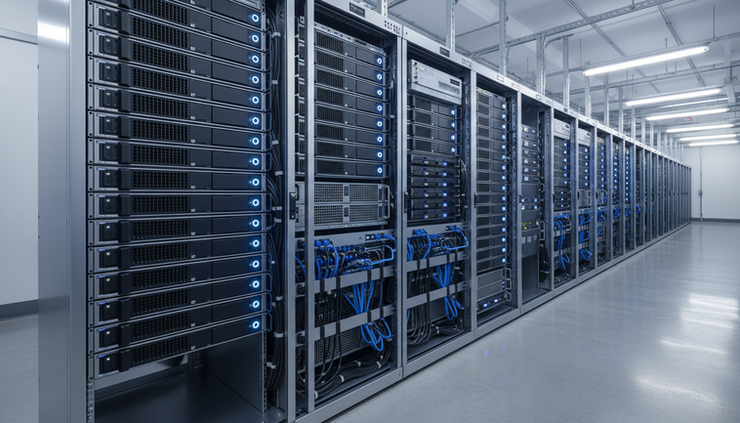
Consumer SSDs and enterprise SSDs are built for different jobs
A consumer SSD is usually designed around desktop or laptop use. That means fast boot times, quick application launches, light file transfers and short bursts of activity. It may sit idle for long periods, then work hard for a few seconds.
Enterprise drives are built for environments where the workload doesn’t politely stop after a few minutes. Think of:
Microsoft Hyper-V and VMware hosts running many virtual machines
File servers with users constantly opening, saving and syncing documents
Backup repositories receiving large overnight backup jobs
Database applications writing small changes throughout the day
Microsoft 365 backup platforms storing mailboxes, Teams, SharePoint and OneDrive data
These are not unusual use cases. They’re normal business workloads. The key point is that they create a mix of sustained writes, random access, queue depth, snapshots and background tasks that consumer hardware was never really designed to handle day after day.
This doesn’t mean every system needs the most expensive drive available. It means the drive should match the workload.
Endurance ratings explain how much work a drive can take
One of the clearest differences is endurance. SSDs wear as data is written to them. Manufacturers measure this in a few ways, but two terms come up often.
TBW means terabytes written. It estimates the total amount of data that can be written to the drive during its warranty period.
DWPD means drive writes per day. It estimates how many times the full capacity of the drive can be written each day during the warranty period.
For example, a consumer SSD might be fine for a laptop where most activity is reading data and only modest amounts are written each day. In a backup repository, the same drive could see large write jobs every night. In a virtualisation host, many virtual machines could be writing logs, updates, temporary files and database changes all at once.
That’s why endurance matters for Business SSD Storage. The capacity figure only tells part of the story. A 2 TB consumer SSD and a 2 TB enterprise drive may not be equally suited to a write-heavy server, even if they fit in the same bay.
For finance teams, this is one of the easiest points to miss. The lower purchase price looks attractive, but the useful life of the drive under real workloads may be shorter. If the drive needs replacing sooner, or if it causes service issues, the initial saving can disappear quickly.
Reliability matters when drives run all day and all night
Consumer SSDs are usually not expected to sit in a busy server chassis, running 24/7, surrounded by other drives, handling requests from dozens or hundreds of users.
Enterprise storage is different. Drives may be part of RAID sets, storage pools, hyperconverged clusters or backup appliances. They may need to perform consistently through business hours, patching windows, backup jobs and replication tasks.
A proper Server SSD is designed with this kind of operating pattern in mind. That can include better handling of heat, heavier workloads, predictable behaviour under load and firmware designed for multi-drive environments.
Reliability isn’t only about whether a drive works today. It’s also about whether it behaves predictably tomorrow, next month and three years into its service life. A server platform needs components that can cope with the rhythm of business systems, not just occasional peak use.
A common example is a Microsoft 365 backup repository. While storage requirements may appear modest, the workload often involves constant incremental changes, retention processing and verification tasks. A consumer SSD may cope perfectly at first, but over time heavier write workloads can expose limitations in endurance and sustained performance.

Power loss protection helps protect data in awkward moments
Power problems are not always dramatic. A server may lose power unexpectedly. A UPS may run out during a longer outage. Someone may shut down hardware in the wrong order. A fault in another part of the system may interrupt writes.
Enterprise SSDs often include power loss protection. This usually involves onboard capacitors that give the drive just enough time to complete critical write operations or protect data already in flight.
That matters because data is not always written to storage in a single clean step. Some data may sit temporarily in cache before being committed. If power is lost at the wrong moment, a consumer SSD without suitable protection may be more exposed to incomplete writes or corrupted data.
This is especially relevant for:
Database servers
Virtual machine storage
Backup repositories
File servers
Systems holding accounting, ERP or line-of-business data
Power loss protection doesn’t remove the need for a UPS, good backup design or sensible shutdown processes. It simply adds another layer of protection where it counts.
Sustained performance is often more important than peak speed
SSD specification sheets often focus on maximum read and write speeds. Those numbers are useful, but they can be misleading when choosing a drive for a server.
Consumer drives often perform very well in short bursts. Some use a fast cache area to make everyday tasks feel snappy. Once that cache fills, write speed can fall. On a home PC, that may not matter much. On a server receiving a large backup job or running many virtual machines, it can matter a lot.
Enterprise drives are designed to offer more consistent performance during sustained workloads. That consistency is often more useful than a headline speed figure.
Consider a VMware datastore hosting several virtual machines. If storage performance drops sharply during backups or patching, users may see slow applications, delayed logins or sluggish database response. The same applies when selecting an SSD for VMware or an SSD for Hyper-V. The question isn’t just “How fast is it at its best?” It’s “How steady is it when everything is busy?”
For backup platforms, consistency is just as important. A Microsoft 365 backup system may have to process many small files, mailbox changes and retention tasks. A drive that slows heavily under sustained writes can extend backup windows and make restores less predictable.
Server firmware is tuned for shared workloads
Firmware controls how an SSD manages data, wear, errors, caching and background maintenance. Consumer firmware is usually tuned for responsiveness in a single-user device. Enterprise firmware is tuned for systems where many processes hit the drive at once.
That difference can affect:
How the drive handles queued requests
How it manages background clean-up
How it behaves in RAID controllers or storage arrays
How it reports health information
How predictable latency stays under load
This matters in virtual environments because many VMs share the same physical storage. One virtual machine may be applying updates, another may be running a database, another may be processing files, while backup software reads snapshots in the background.
The storage layer has to serve them all fairly and predictably. Firmware designed for server use helps with that.

Data integrity features reduce silent problems
Storage failures are not always obvious. A drive might not stop working completely. It may produce errors, retry operations, slow down, or in rare cases return incorrect data. Enterprise SSDs tend to include stronger error correction and data integrity features to reduce these risks.
Common features can include advanced error correction, end-to-end data path protection and better reporting through drive health tools. The exact names vary by manufacturer, but the aim is the same: protect data as it moves through the drive and help the system detect problems early.
For business data storage, early warning is valuable. It gives IT teams time to replace a drive, rebuild an array or investigate a performance issue before it affects users.
This is especially important for systems such as:
File servers holding shared documents
SQL databases used by business applications
Backup repositories that must be trusted during a restore
Virtualisation hosts where one storage issue can affect many servers
Backups are a good example. A backup repository is only useful if the data can be restored reliably. Using unsuitable storage for backups can create awkward surprises later, even if the backup software itself is working correctly.
Warranty and support are part of the decision
Warranty terms are not just small print. They often reflect how the manufacturer expects the drive to be used.
Consumer SSD warranties may include endurance limits and usage terms that don’t fit server workloads. Enterprise SSD warranties are usually aligned with heavier write patterns, longer operating hours and supported use in servers or storage systems.
Support also matters when equipment is part of production IT infrastructure. If a drive sits in a branded server, storage array or backup appliance, compatibility can affect firmware updates, health alerts, replacement processes and vendor support.
There’s also a practical operational point. When a server has a problem, no one wants an argument about whether unsupported drives contributed to the issue. Choosing suitable components makes support simpler and fault finding cleaner.
Nevada IT often looks at these choices as part of the wider system, not as a single line item. The right answer may depend on the workload, backup design, age of the platform, warranty position and the impact of downtime.
Where consumer SSDs can create unnecessary risk
A consumer SSD may work in a server. It may even work for quite a while. The question is whether it’s the right fit for a business-critical role.
Here are a few common examples.
Microsoft Hyper-V and VMware environments
Virtualisation concentrates many workloads onto fewer physical hosts. If storage performance dips or a drive fails at a bad time, several services can be affected at once. Consistent I/O and endurance matter here.
File servers
File servers can produce steady reads and writes all day. User profiles, shared folders, sync tools and permissions changes can create more activity than expected.
Backup repositories
Backup storage often sees heavy sequential writes, synthetic full backups, retention jobs and verification tasks. A cheaper drive can struggle once cache limits are reached or wear builds up.
Database applications
Databases often write small changes constantly. They also care about latency. Power loss protection and data integrity features are especially useful here.
Microsoft 365 backup platforms
Microsoft 365 backup systems may store lots of small objects and run regular incremental jobs. Storage needs to cope with frequent changes and reliable restores, not just capacity.
None of this means consumer drives are bad products. They’re simply built for a different use case. In a desktop PC, they can be a great choice. In a production server, the compromise may not be worth it.

A simple way to choose the right SSD
When comparing SSDs for business systems, it helps to ask practical questions rather than starting with price alone.
Question | Why it matters |
How much data will be written each day? | This helps match the drive to the right TBW and DWPD rating. |
Will the system run 24/7? | Constant operation changes the reliability requirements. |
Is the workload bursty or sustained? | Peak speed matters less if performance drops during long jobs. |
Does the system hold live production data? | Power loss protection and integrity features become more important. |
Is the drive supported in the server or appliance? | Compatibility affects updates, alerts, warranty and support. |
What would downtime cost in time and disruption? | This gives the purchase price proper context. |
For smaller, low-impact systems, there may be cases where a lower-cost option is acceptable. For production servers, backup appliances, storage arrays and virtualisation hosts, enterprise-grade drives are usually the more sensible baseline.
FAQ
Are consumer SSDs ever suitable for business use?
Yes, in the right place. They can be fine for desktops, laptops, test machines or non-critical systems. They’re less suitable for servers, backup repositories or shared storage where write levels, uptime and support expectations are higher.
What does DWPD mean in simple terms?
DWPD stands for drive writes per day. It describes how many times the full capacity of a drive can be written each day during the warranty period. A higher DWPD rating usually means the drive is better suited to write-heavy workloads.
Is peak SSD speed the most important factor for servers?
Not usually. Consistent performance under sustained load is often more useful than the highest advertised speed. This is especially true for virtualisation, databases and backup storage.
Why does power loss protection matter if we already have a UPS?
A UPS is still essential, but it doesn’t remove every risk. Power loss protection helps the SSD protect data during unexpected interruptions or faults where writes may be in progress.
Should every server use the same type of enterprise SSD?
No. Different workloads need different endurance, capacity and performance profiles. A database server, backup repository and file server may all need different drive choices.
The practical takeaway
The cheapest drive is not always the most cost-effective option. For business-critical servers, virtualisation hosts, storage arrays and backup platforms, the real cost includes reliability, downtime, support, replacement effort and data protection.
Consumer SSDs and enterprise SSDs may look similar on paper, but they’re designed for different environments. Matching the drive to the workload helps keep IT infrastructure stable, predictable and easier to support. That’s the sensible approach Nevada IT encourages: choose storage based on how the business actually uses it, not just the lowest price on the quote.


Comments